> For the complete documentation index, see [llms.txt](https://docs.peajia.com.tw/llms.txt). Markdown versions of documentation pages are available by appending `.md` to page URLs; this page is available as [Markdown](https://docs.peajia.com.tw/home/help-center/advance/tracklink.md).
# 導流連結管理
建立可追蹤的導流連結與 QR Code。支援點擊統計、互動貼標,並可為不同渠道設定客製化歡迎訊息。
> #### 快速了解這個單元
>
> * 建立導流連結:設定名稱、描述與互動標籤,系統會產生連結與 QR Code。
> * 客製歡迎訊息:可為不同渠道設定不同的加入後訊息。
> * 管理列表:搜尋、複製連結、下載 QR Code、刪除、查看成效分析。
>
> #### 你可以用導流連結做什麼?
>
> 「導流連結」用來建立一組 **可追蹤來源** 的加入入口。你可以把它放在廣告、貼文、EDM 或印刷品的 QR Code。系統會記錄點擊數,並在互動時自動貼標,常見情境:
>
> * 線上投放(FB/IG/Google)分渠道追蹤加入成效。
> * 線下導流(海報、傳單、門市立牌)用 QR Code 帶加入。
> * 針對不同來源,發送不同的加入後引導訊息。
***
## 新增導流連結
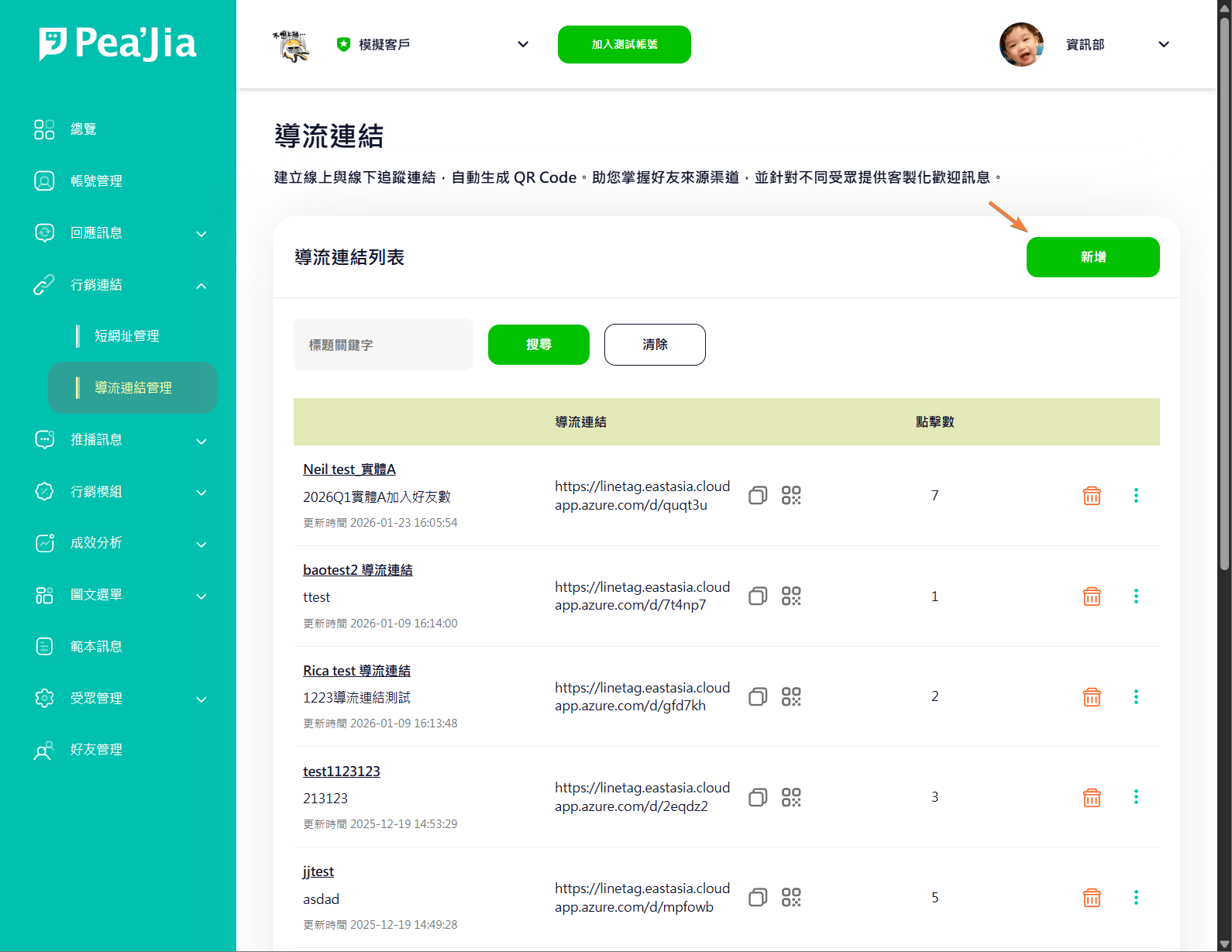
在「導流連結管理」頁面點 **新增**,開始建立一筆導流連結。
{% stepper %}
{% step %}
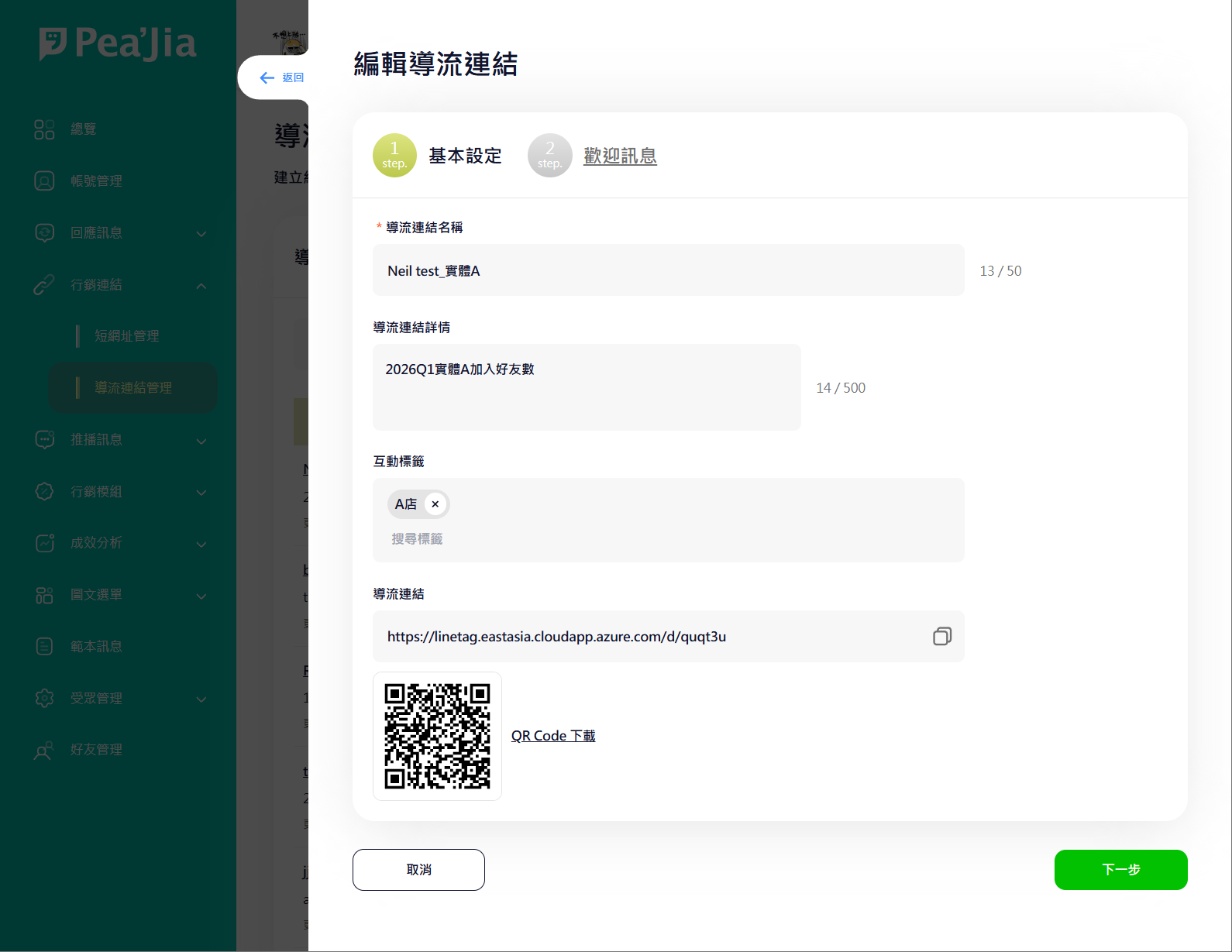
### Step 1:基本設定
#### 導流連結名稱
給管理者看的識別名稱。會顯示在列表上。建議包含「渠道 / 活動 / 日期」,方便搜尋與辨識。
#### 導流連結詳情
補充這筆導流的用途或備註。建議寫清楚投放位置與受眾,方便團隊協作。
#### 互動標籤
設定「透過此導流連結加入 / 互動」後要自動貼到好友身上的標籤。可多選。
{% hint style="info" %}
標籤用來做後續分眾與投放。需要先建立標籤可參考 [標籤管理](/home/help-center/basic/tag.md)。
{% endhint %}
#### 導流連結
系統會自動產生可使用的導流連結。你可以:
* 點複製圖示,快速複製連結。
* 直接把連結貼到推播、選單、貼文或廣告素材中。
#### QR Code
系統會同步產生 QR Code。適合用於海報、門市立牌、包裝貼紙等線下場景。
{% hint style="info" %}
若你會放到印刷品,建議先用手機掃描測試,確認導流與訊息流程符合預期。
{% endhint %}
{% endstep %}
{% step %}
### Step 2:歡迎訊息
你可以為「透過此導流連結加入」的好友設定專屬歡迎訊息,用於引導下一步(例如:領券、填資料、選分眾)。
{% hint style="warning" %}
這裡設定的是「此導流連結」的加入後引導訊息。若你也有設定全域的加入訊息,兩者的實際發送順序與呈現會依你們的 OA / 平台設定為準。
{% endhint %}
你可以搭配現有的訊息模組來設計內容,撰寫方式可參考:
* [有哪些訊息模組?](/home/help-center/start/message-module.md)
* [歡迎好友的加入訊息](/home/help-center/basic/welcome-message.md)
{% endstep %}
{% endstepper %}
***
## 列表與常用操作
列表通常會顯示:
* 導流連結名稱 / 詳情
* 導流連結(可複製)
* 點擊數
* 更新時間
### 搜尋
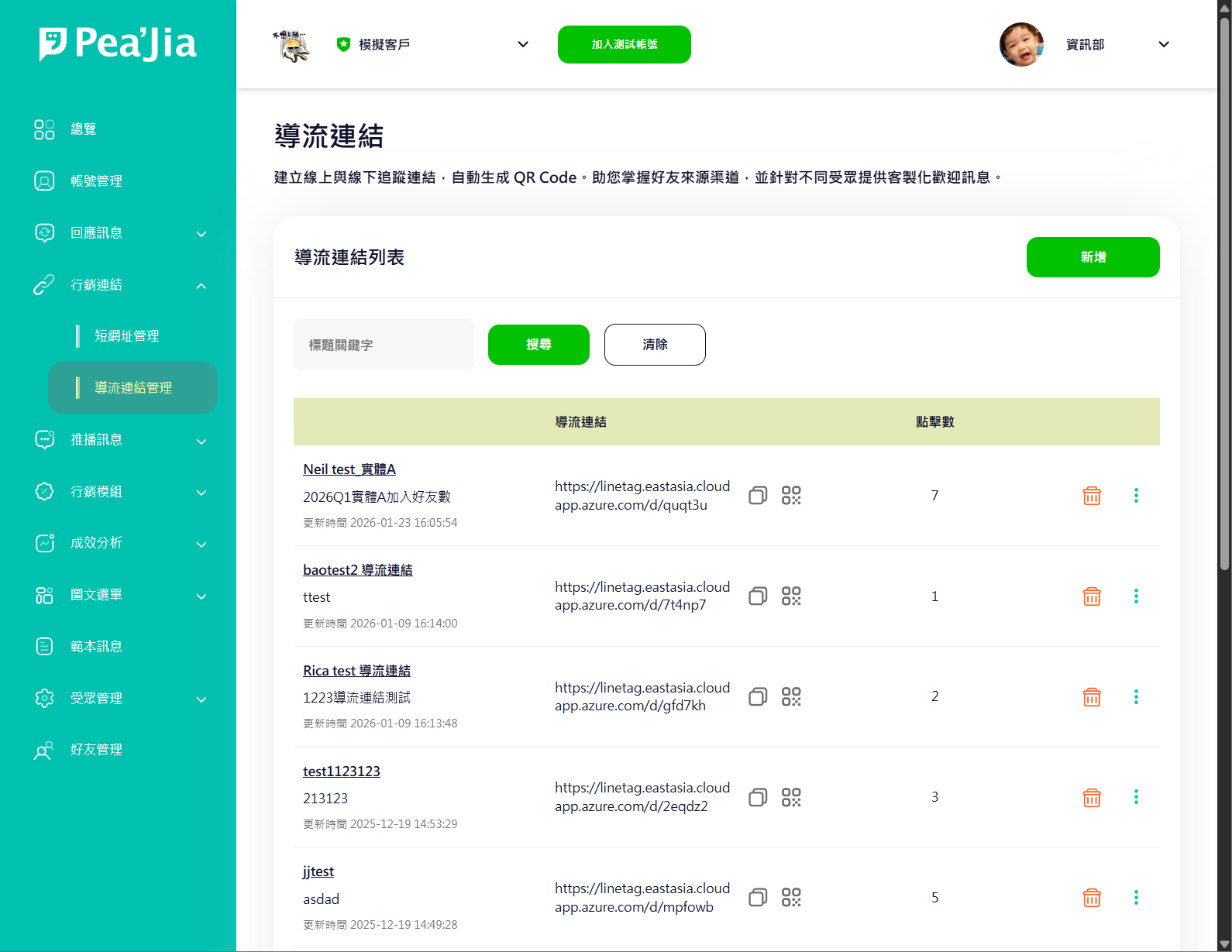
在「標題關鍵字」輸入文字後點 **搜尋**。要清空條件點 **清除**。
### 複製導流連結
點導流連結右側的複製圖示即可複製。建議每次投放前先測一次導向是否正確。
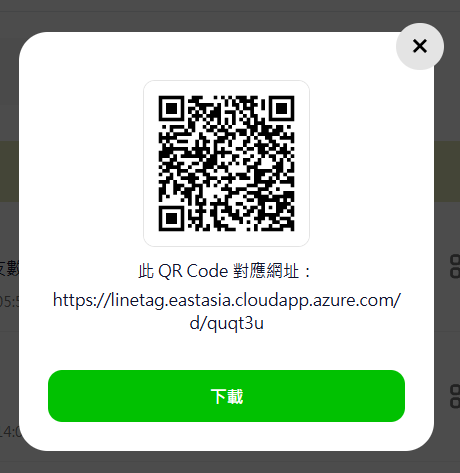
### 下載 QR Code
點 QR Code 圖示可預覽並下載。建議下載後先用手機掃描驗證。
### 編輯
點列表中的「導流連結名稱」進入編輯。你可以調整:
* 導流連結名稱與詳情
* 互動標籤
* 歡迎訊息
{% hint style="warning" %}
對外已投放的導流素材,修改前先確認影響範圍。若你需要保留「舊渠道」的成效與流程,建議建立新的一筆導流連結。
{% endhint %}
### 成效分析
點資料列右側選單,選 **成效分析**,查看該導流連結的點擊成效與相關指標。
### 刪除
點資料列右側的刪除圖示即可刪除。刪除後無法復原。
{% hint style="warning" %}
導流連結若已被放到推播、選單、廣告或印刷品中,刪除會造成連結失效。建議先確認外部是否仍在使用。
{% endhint %}
***
## 使用建議
* 一個渠道一個導流連結,不要共用。分析才準。
* 標籤命名用固定格式。例:`IG-投放-春季活動-2026Q1`。
* 線下 QR Code 先小量測試,再大量印刷。
***
## 延伸操作
* 需要「導到外部活動頁」並追蹤點擊:用 [短網址管理](/home/help-center/advance/shorturl.md)。
* 把連結放進推播:前往 [推播管理](/home/help-center/basic/push-message.md)。
* 把連結放進選單按鈕:前往 [預設圖文選單](/home/help-center/basic/default-richmenu.md)。
* 用標籤做更精準的分眾:前往 [標籤管理](/home/help-center/basic/tag.md) 與 [受眾分群](/home/help-center/basic/audience.md)。