> For the complete documentation index, see [llms.txt](https://docs.peajia.com.tw/llms.txt). Markdown versions of documentation pages are available by appending `.md` to page URLs; this page is available as [Markdown](https://docs.peajia.com.tw/home/help-center/basic/tag.md).

# 標籤管理

> #### 快速了解這個單元
>
> * 用「分類」整理標籤，用「標籤」作為分眾條件。
> * 建立與維護：新增分類、新增標籤、改名/移動、刪除。
> * 刪除前先檢查：是否有推播、圖文選單或自動回應在使用。
>
> #### 你可以用標籤做什麼？
>
> * 標籤用來描述「好友是誰」或「好友做過什麼」。
> * 你會用它來做分眾，並套用在推播、圖文選單、自動回應等功能。
> * 想先搞懂概念，可先看 [如何理解標籤和分眾](/home/help-center/start/tag-audience.md)。

***

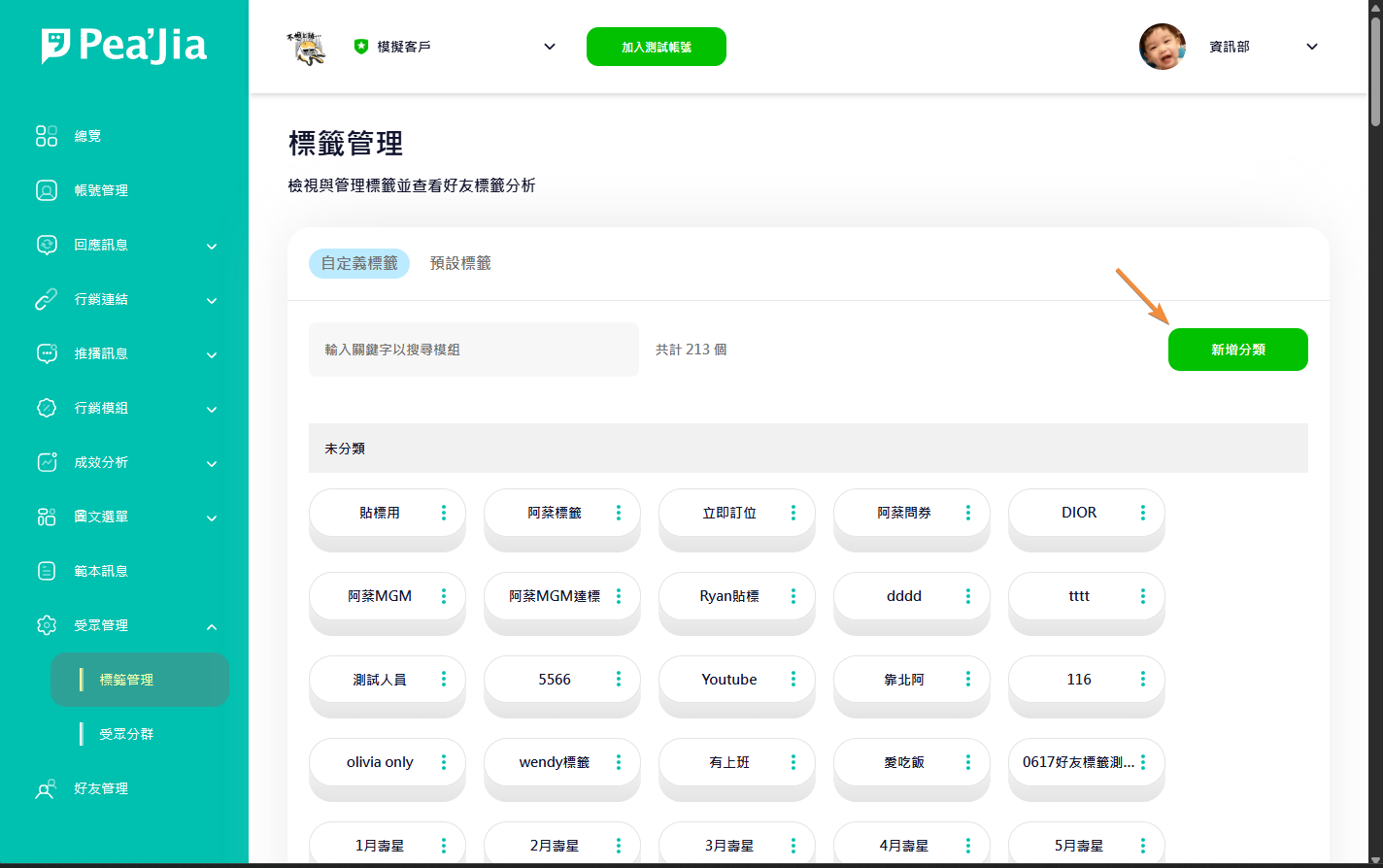
## 新增分類

在「受眾管理」的「標籤管理」頁面。

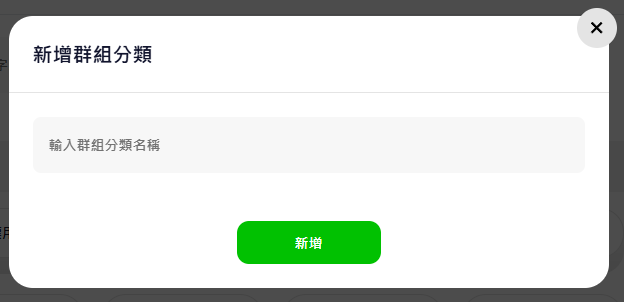
點右上角 **新增分類**，會跳出新增視窗。

<div data-with-frame="true"><figure><img src="/files/kuSUfuRmtOwiTtrhPSqL" alt=""><figcaption></figcaption></figure></div>

在輸入框填入分類名稱後送出即可。

<div data-with-frame="true"><figure><img src="/files/6RpyvDO4AR2jGr3y07wv" alt=""><figcaption></figcaption></figure></div>

{% hint style="info" %}
分類用「用途」命名最快。例：`來源`、`會員等級`、`活動互動`。
{% endhint %}

### 新增標籤

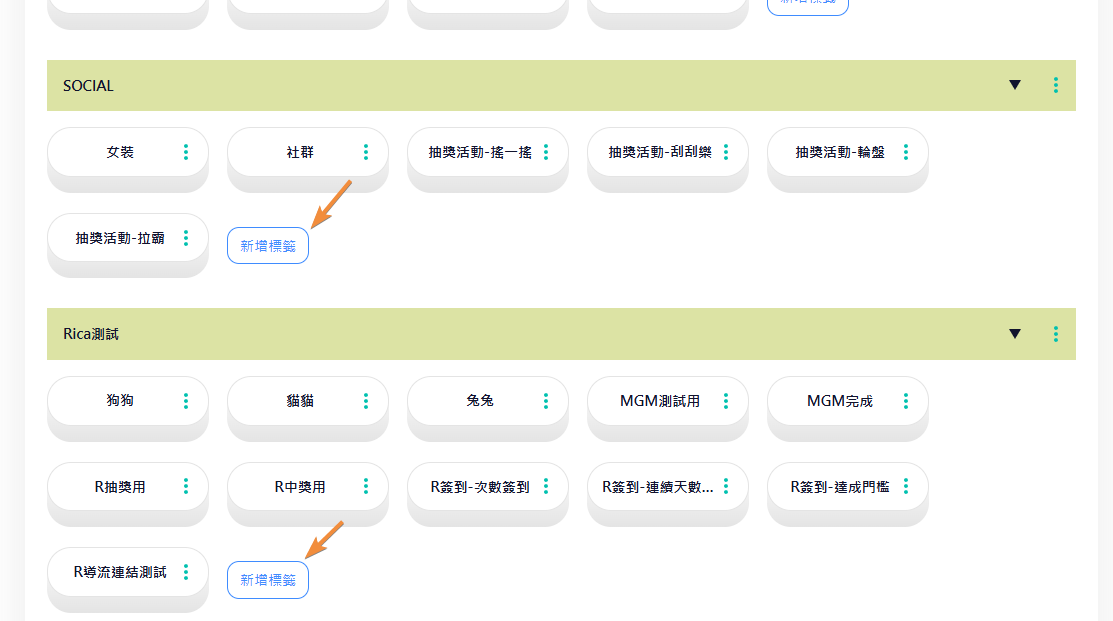
在分類的標籤列表最下方，點 **新增標籤**。

<div data-with-frame="true"><figure><img src="/files/6kIVdHCbX21h7V5wWQx0" alt=""><figcaption></figcaption></figure></div>

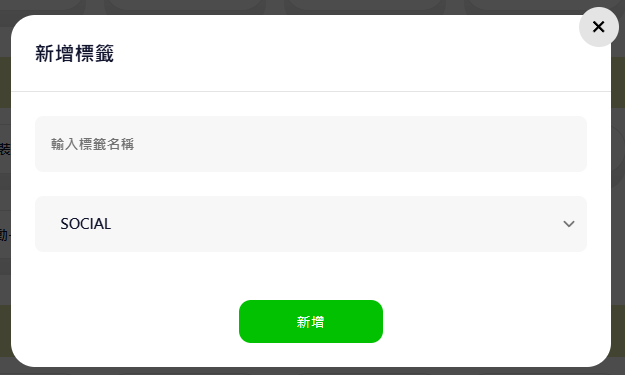
輸入標籤名稱後送出即可新增。

<div data-with-frame="true"><figure><img src="/files/Zp1trdbBRRPi7gUfNz1M" alt=""><figcaption></figcaption></figure></div>

{% hint style="warning" %}
英文大小寫會被視為相同標籤，避免重複。
{% endhint %}

### 分類操作（維護分類）

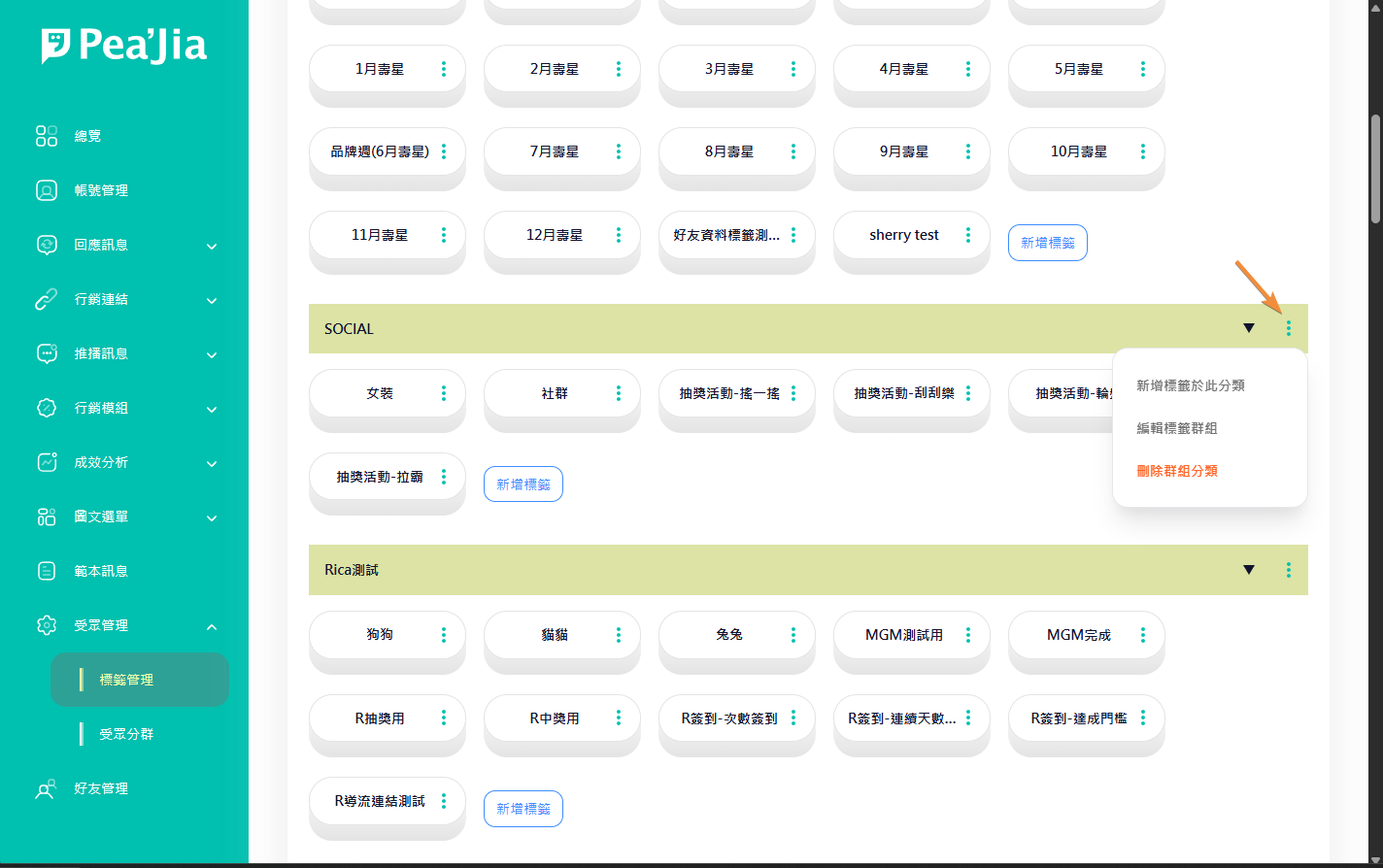
在分類列右側點選單，會看到可用操作。

<div data-with-frame="true"><figure><img src="/files/WYfkerrbLfPR8KeUlAir" alt=""><figcaption></figcaption></figure></div>

#### 新增標籤於此分類

直接在這個分類底下新增標籤。

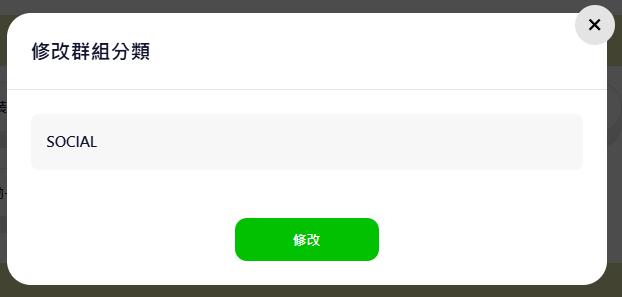
#### 編輯標籤群組

修改分類名稱。

<div data-with-frame="true"><figure><img src="/files/SnIZzeYEF4Bic74r14Ei" alt=""><figcaption></figcaption></figure></div>

#### 刪除群組分類

刪除這個分類。

該分類下的標籤會被歸到「未分類」（或等同的預設分類）。

{% hint style="warning" %}
建議先把標籤移到其他分類，再刪除分類。
{% endhint %}

### 標籤操作（維護標籤）

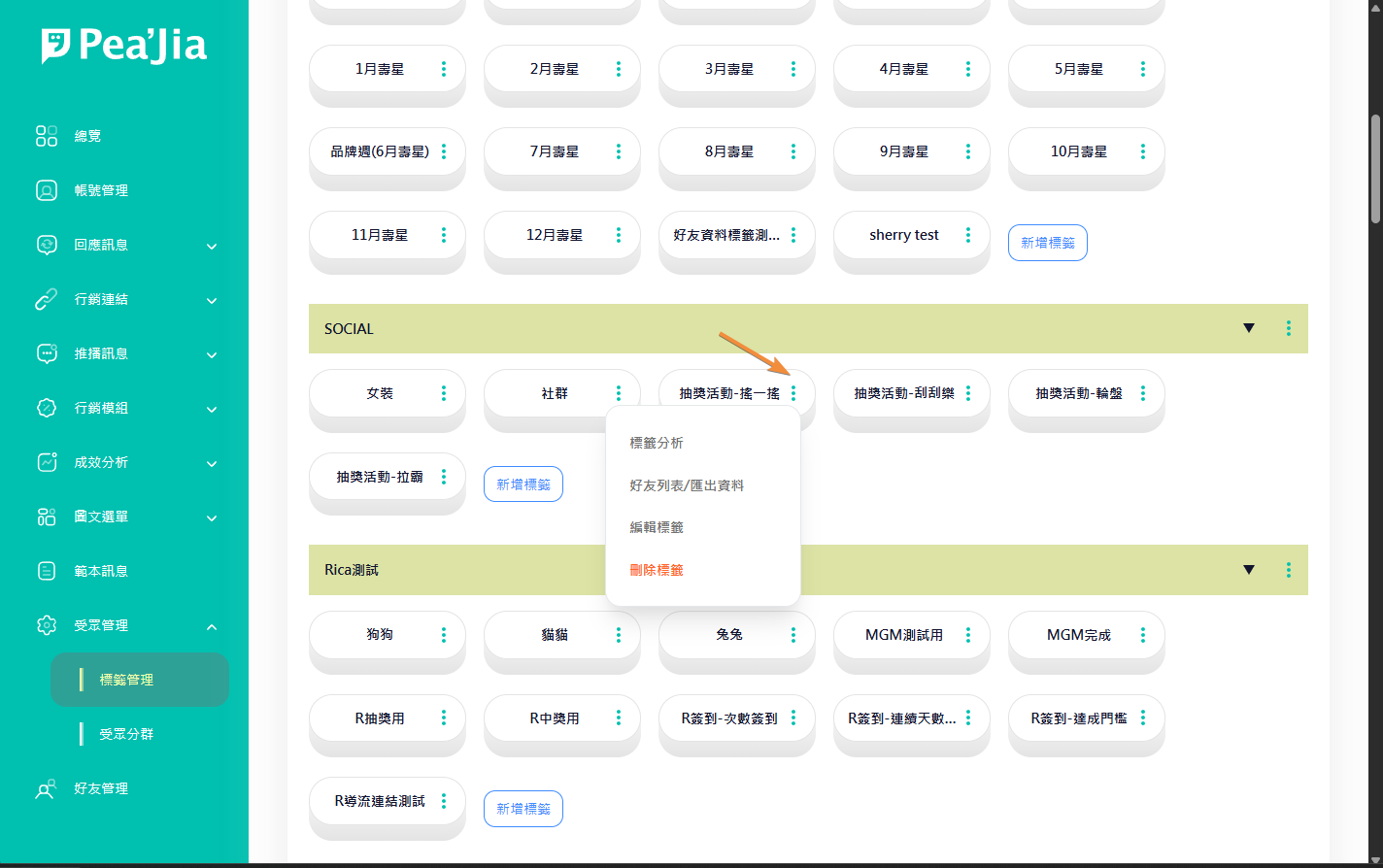
在標籤右側點選單，會看到可用操作。

<div data-with-frame="true"><figure><img src="/files/bknH0o4IRhWFViknxuB3" alt=""><figcaption></figcaption></figure></div>

#### 標籤分析

前往該標籤的成效分析頁面。

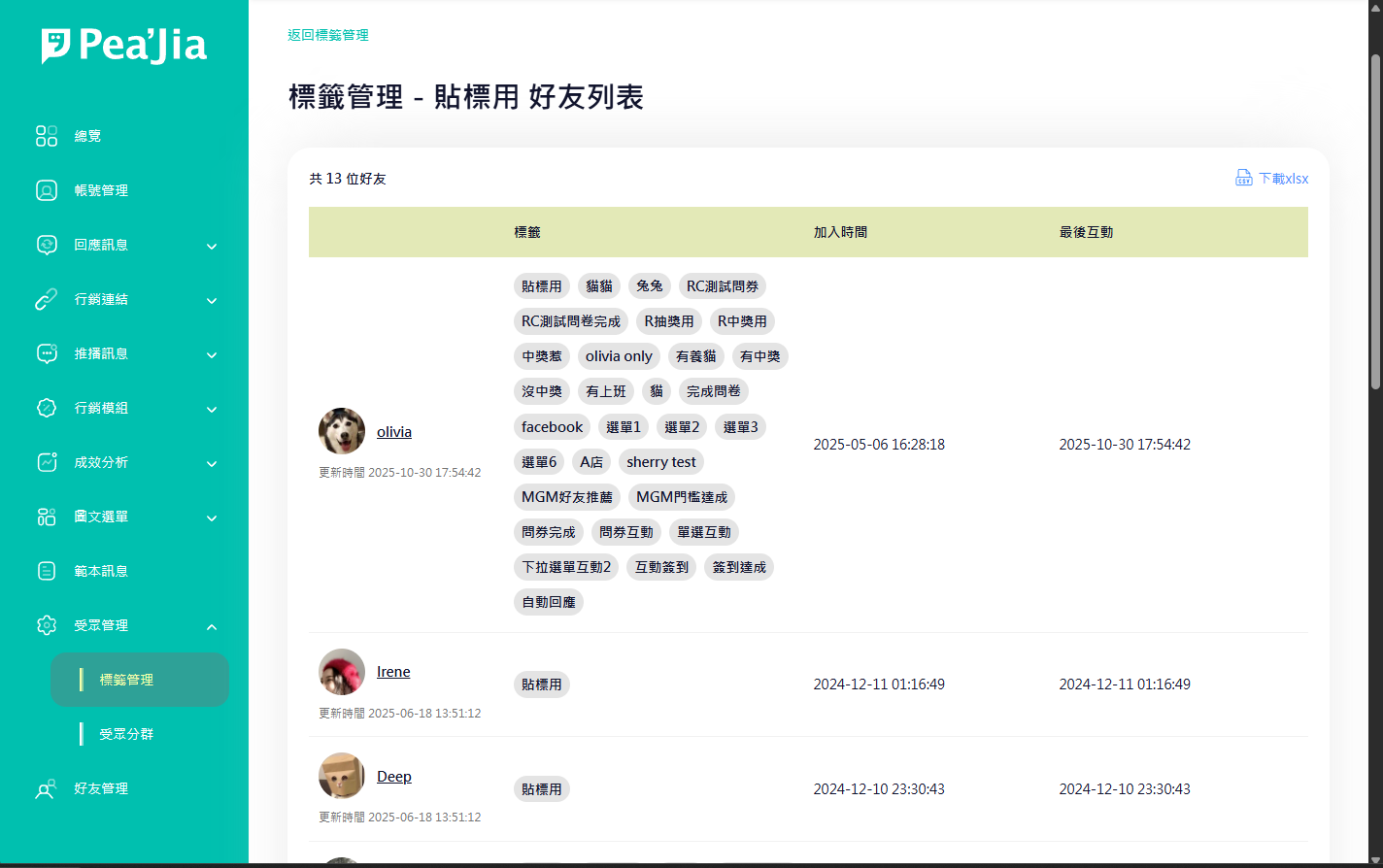
#### 好友列表／匯出資料

前往好友列表。

列表內容會是「已貼上這個標籤」的好友。

<div data-with-frame="true"><figure><img src="/files/lPSSeXR521cuiKRncGgX" alt=""><figcaption></figcaption></figure></div>

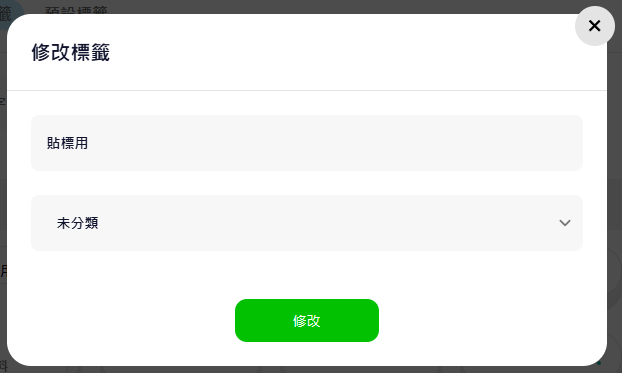
#### 編輯標籤

修改標籤名稱，或調整所屬分類。

<div data-with-frame="true"><figure><img src="/files/bAYoQrEjmd4u0RgLpT7w" alt=""><figcaption></figcaption></figure></div>

#### 刪除標籤

移除該標籤設定。刪除後無法復原。

{% hint style="danger" %}
刪除前先確認是否有分眾或內容顯示條件正在使用這個標籤。
{% endhint %}

***

## 命名與規劃建議

1. 一個標籤只代表一個意思。不要混用。
2. 用「可長期沿用」的命名。不要放短期活動日期。
3. 統一大小寫與分隔符號。例：全小寫＋底線。
4. 先用少量標籤跑一輪流程。確認可用再擴充。

***

## 延伸操作

* 針對單一好友手動加/刪標籤：見 [好友管理](/home/help-center/basic/friend.md)。
* 用標籤組出受眾：見 [受眾分群](/home/help-center/basic/audience.md)。

---

# Agent Instructions
This documentation is published with GitBook. GitBook is the documentation platform designed so that both humans and AI agents can read, navigate, and reason over technical content effectively. Learn more at gitbook.com.

## Querying This Documentation
If you need additional information that is not directly available in this page, you can query the documentation dynamically by asking a question.

Perform an HTTP GET request on the current page URL with the `ask` query parameter:

```
GET https://docs.peajia.com.tw/home/help-center/basic/tag.md?ask=<question>
```

The question should be specific, self-contained, and written in natural language.
The response will contain a direct answer to the question and relevant excerpts and sources from the documentation.

Use this mechanism when the answer is not explicitly present in the current page, you need clarification or additional context, or you want to retrieve related documentation sections.