> For the complete documentation index, see [llms.txt](https://docs.peajia.com.tw/llms.txt). Markdown versions of documentation pages are available by appending `.md` to page URLs; this page is available as [Markdown](https://docs.peajia.com.tw/home/help-center/start/start-peajia.md).

# 如何開始使用Pea'Jia

## 開始前要準備什麼？

開始使用 Pea'Jia 前，先確認您有可管理的 LINE 官方帳號。 也請先完成必要授權。

* 已完成 LINE 官方帳號申請
* 擁有官方帳號管理者權限（可進行 API 授權與設定）
* 已開啟 Messaging API（用於貼標互動與自動化）
* 若您管理多個帳號，先確認要綁定的「帳號名稱」與「LINE ID」

{% hint style="info" %}
尚未申請 LINE 官方帳號，請先到 [LINE 官方帳號管理平台](https://tw.linebiz.com/) 建立。
{% endhint %}

## 取得 Pea'Jia 權限並完成綁定

準備好 LINE 官方帳號後，請到 [Pea'Jia 官網的聯絡我們](https://peajia.com.tw/#contactus) 提交資訊。

客服會協助完成設定。 也會引導您把 Pea'Jia 與 LINE 官方帳號綁定。

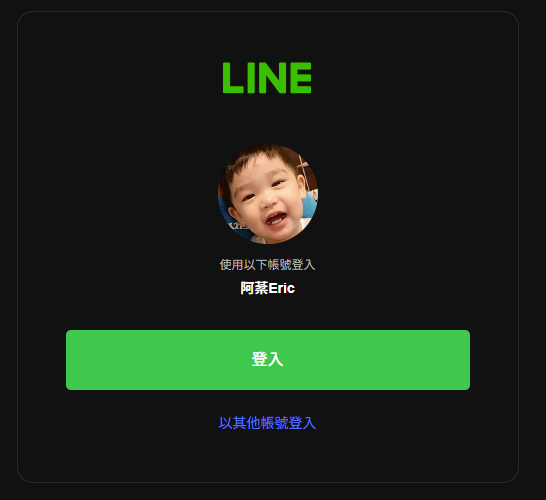
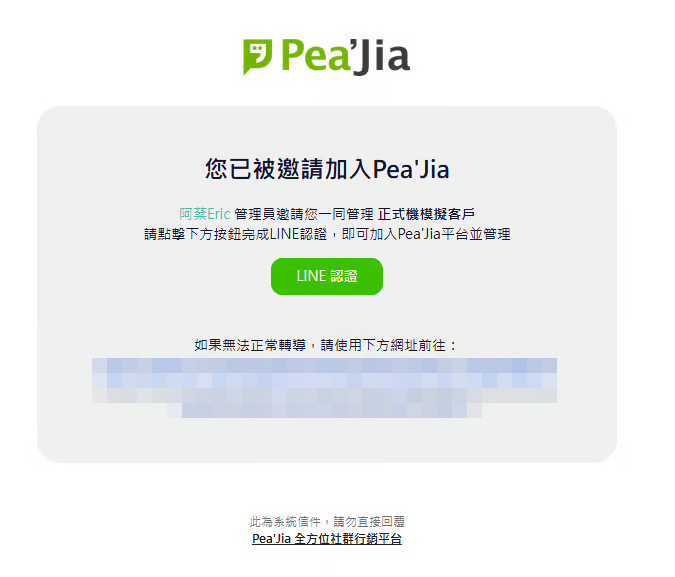
完成設定後，系統會寄出 Pea'Jia 平台邀請信。請在信件中點擊「LINE 認證」按鈕。

<div data-with-frame="true"><figure><img src="/files/9exl7AxlSgHUfhln2JFd" alt="" width="506"><figcaption></figcaption></figure></div>

接著使用您的 LINE 帳號進行驗證。Pea'Jia 會以此作為單一簽入（SSO）帳號。

<div data-with-frame="true"><figure><img src="/files/z3IUvuPLI5LxyTtDlZUH" alt="" width="410"><figcaption></figcaption></figure></div>

## 登入 Pea'Jia 後台

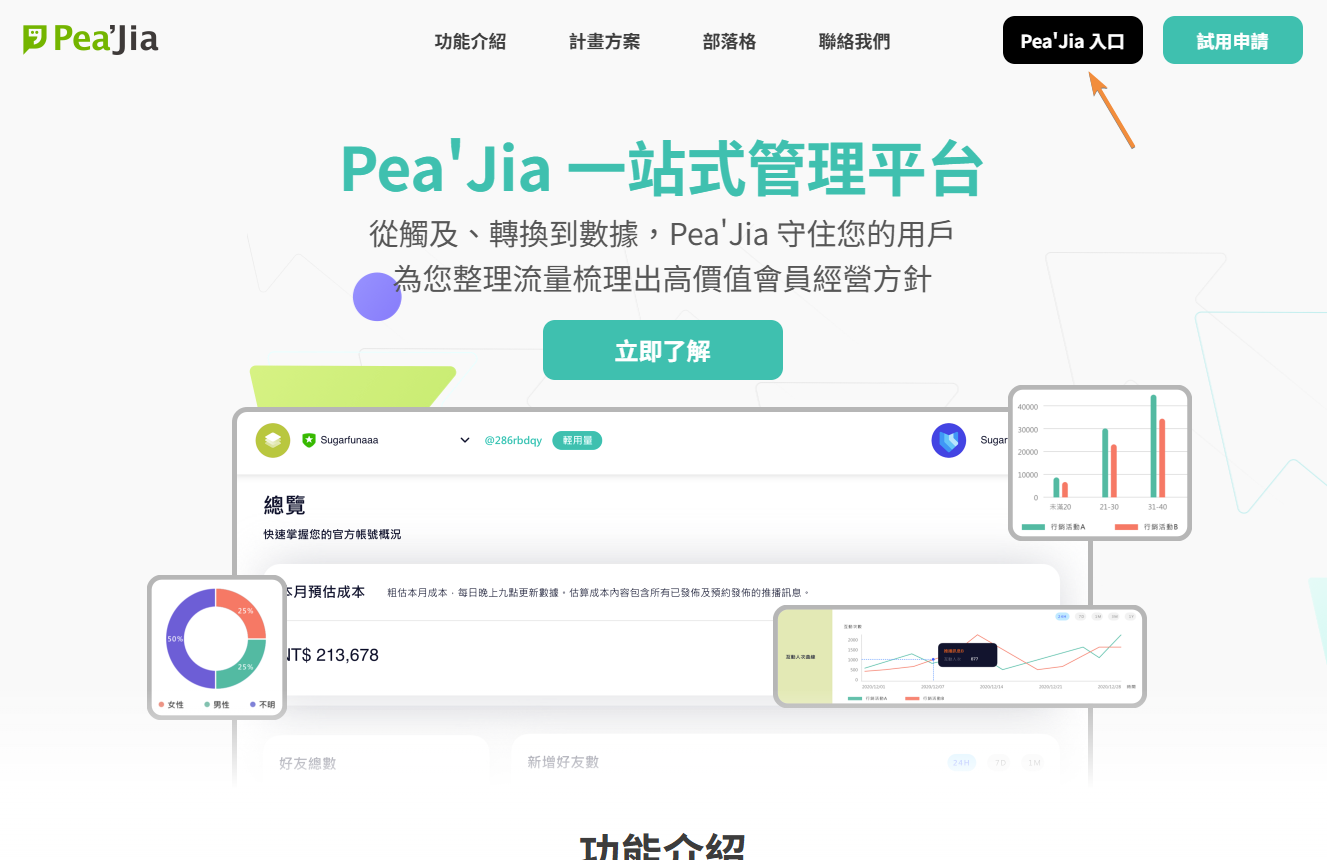
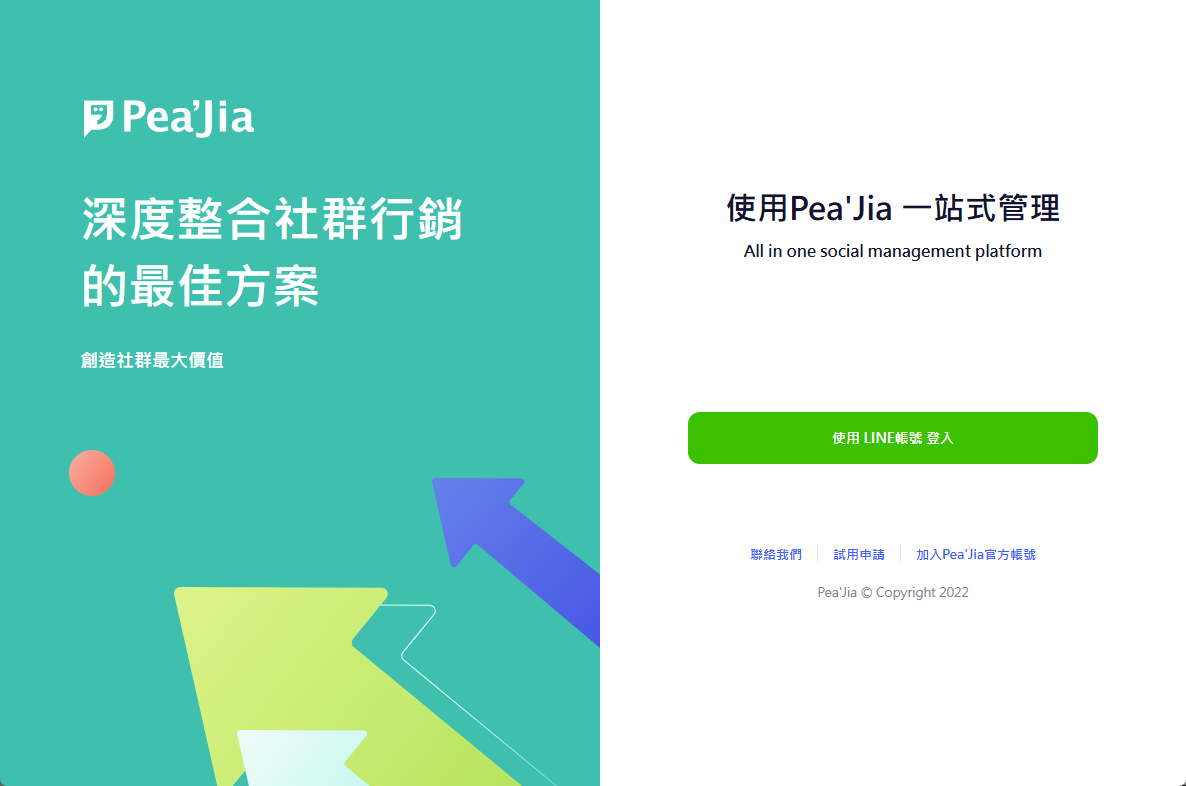
綁定完成後即可登入後台，兩種方式都可以：

* 從 [Pea'Jia 官網](https://peajia.com.tw/) 上方入口進入

<div data-with-frame="true"><figure><img src="/files/lvHc7w0gnZPPqALElsbY" alt=""><figcaption></figcaption></figure></div>

* 直接前往後台網址：<https://peajia.com.tw/admin>

<div data-with-frame="true"><figure><img src="/files/ho77Ic8FHTfdQ6SZ0u71" alt=""><figcaption></figcaption></figure></div>

## 第一次進入後台會看到什麼？

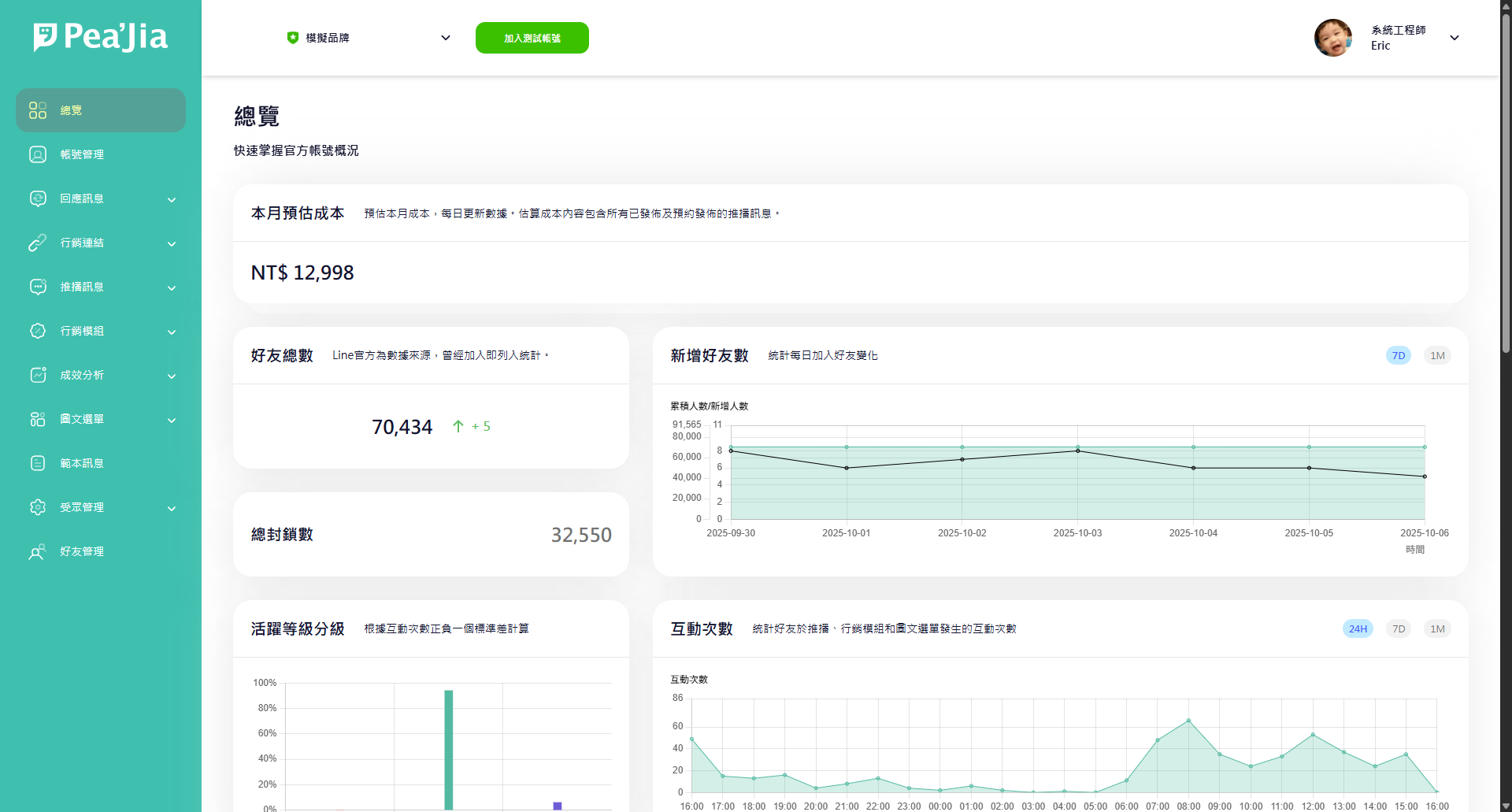
首次登入會看到 Pea'Jia 正在彙整您 LINE 官方帳號的資訊。

若畫面資訊暫時空白或不正確，先不用緊張。 系統通常會在約 1 小時內同步完成。 同步完成後就會呈現正確內容。

<div data-with-frame="true"><figure><img src="/files/RzTckpSDOxt0uygZFG8L" alt=""><figcaption></figcaption></figure></div>

***

## 延伸操作

* 了解登入機制與安全性：前往 [LINE 帳號登入 Pea'Jia 沒問題嗎？](/home/help-center/start/sso.md)。
* 邀請同事一起管理：前往 [新增協同管理者](/home/help-center/start/admin.md)。
* 管理權限、移除離職成員：前往 [帳號管理](/home/help-center/basic/account.md)。
* 先測試推播與互動流程：前往 [測試帳號是什麼？](/home/help-center/start/test-oa.md)。
* 實際發送預覽、確認連結是否正確：前往 [教我使用測試發送](/home/help-center/start/test-send.md)。
* 先把「貼標與分眾」觀念打底：前往 [如何理解標籤和分眾](/home/help-center/start/tag-audience.md)。

---

# Agent Instructions
This documentation is published with GitBook. GitBook is the documentation platform designed so that both humans and AI agents can read, navigate, and reason over technical content effectively. Learn more at gitbook.com.

## Querying This Documentation
If you need additional information that is not directly available in this page, you can query the documentation dynamically by asking a question.

Perform an HTTP GET request on the current page URL with the `ask` query parameter:

```
GET https://docs.peajia.com.tw/home/help-center/start/start-peajia.md?ask=<question>
```

The question should be specific, self-contained, and written in natural language.
The response will contain a direct answer to the question and relevant excerpts and sources from the documentation.

Use this mechanism when the answer is not explicitly present in the current page, you need clarification or additional context, or you want to retrieve related documentation sections.