> For the complete documentation index, see [llms.txt](https://docs.peajia.com.tw/llms.txt). Markdown versions of documentation pages are available by appending `.md` to page URLs; this page is available as [Markdown](https://docs.peajia.com.tw/home/help-center/start/test-oa.md).

# 測試帳號是什麼？

## 能解決什麼？

測試帳號用來「先驗收、再上線」。你可以用它做這些事：

### 驗證流程是否正確

* 行為是否正確觸發。例：加入好友、點擊連結、填寫表單。
* 標籤是否有正確貼到好友。
* 推播、圖文選單是否如預期呈現。

### 模擬使用者情境

* 模擬不同路徑。例：新用戶、重複參與者、未完成任務者。
* 驗證 Webhook、通知、CRM 整合是否有收到資料。

### 降低誤操作風險

* 先在測試帳號跑完整流程。
* 降低誤貼標、誤發送、誤導流的風險。

### 教學與團隊驗收

* 給新同仁練操作，不會影響正式好友。
* 方便錄製教學影片或截圖做 SOP。

***

## 與自己另外申請一個官方帳號差在哪？

Pea'Jia 預設整合一組免費的 LINE 官方帳號作為測試帳號。你不需要另外申請或切換帳號。

### 不用申請，註冊就能用

* 平台預設提供一組測試用官方帳號。
* 不需要等待審核或額外設定。

### 少切換、少重工

* 不用在「正式帳號 / 測試帳號」之間來回切。
* 訊息、連結、貼標條件可以先做完再驗收。

### 避免活動資訊外流

* 測試發送會依「管理者是否仍在帳號內」與「是否已授權」決定收件人。
* 管理者離職或不再管理時，請到 [帳號管理](/home/help-center/basic/account.md) 移除帳號，避免繼續收到測試訊息。

***

## 授權測試訊息（綁定）

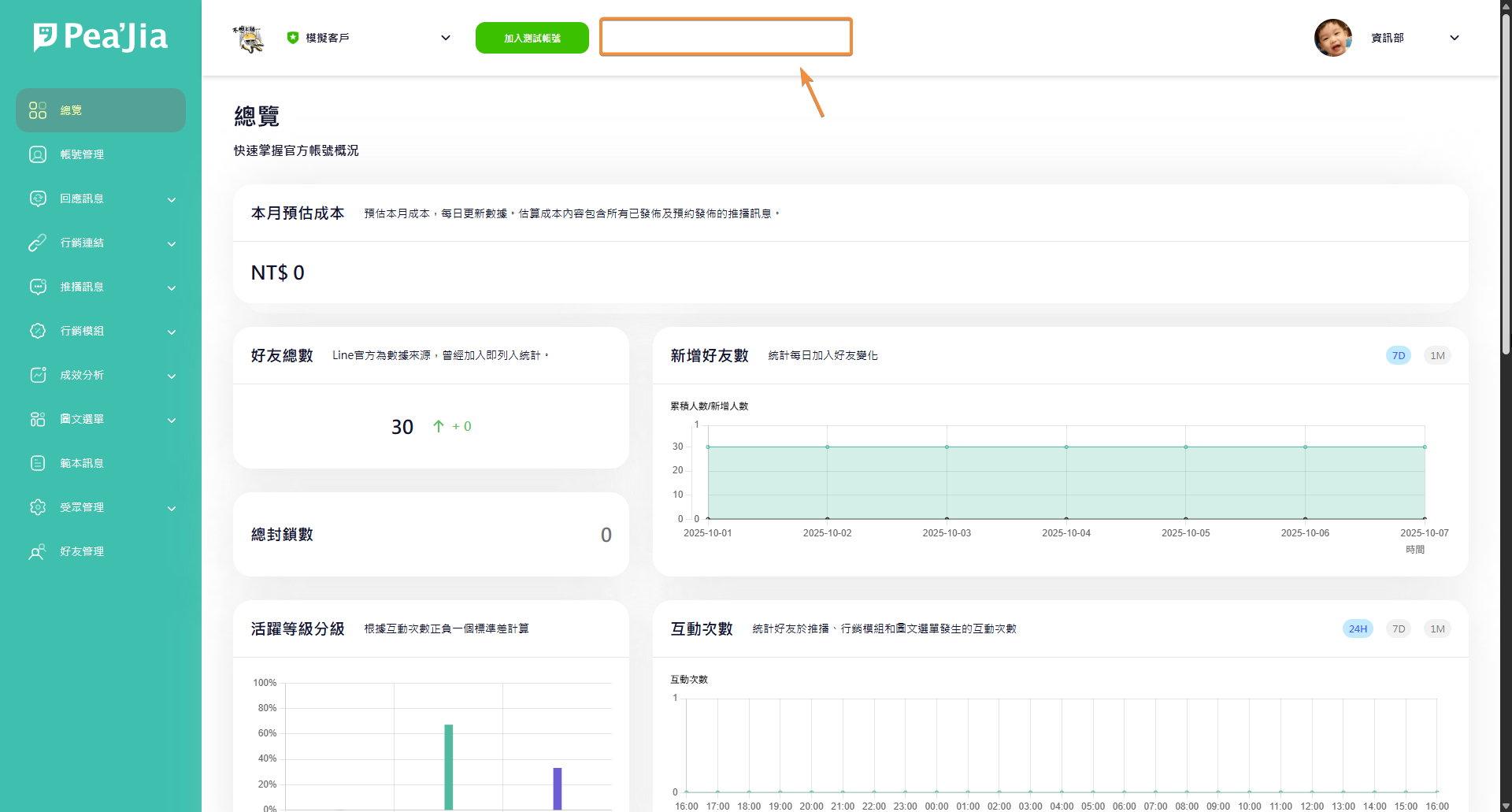
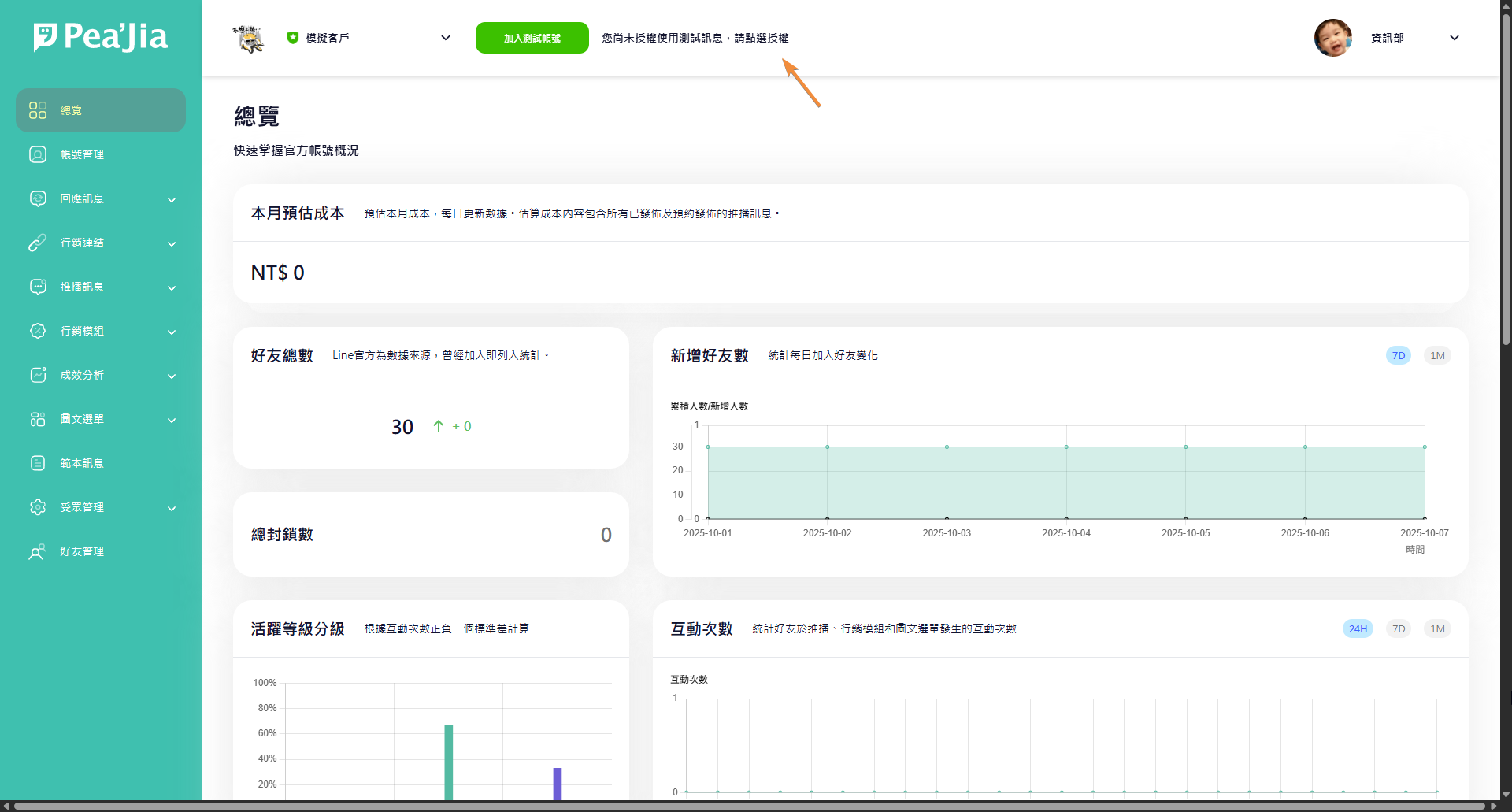
如果你尚未綁定測試帳號，後台上方會看到「尚未授權使用測試訊息，請點選授權」。

{% hint style="warning" %}
測試帳號授權必須由管理者本人操作。\
無法由其他管理者代綁或指派。
{% endhint %}

<div data-with-frame="true"><figure><img src="/files/OI17Wf6YxoVPIs185I7B" alt=""><figcaption></figcaption></figure></div>

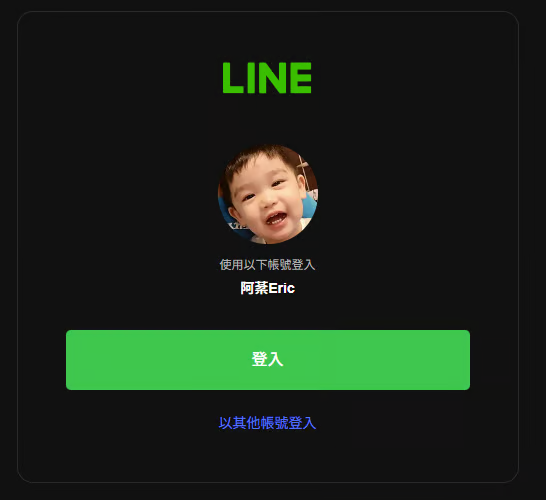
點擊後會進入 LINE 驗證流程。系統會記錄你的 LINE 帳號，並允許你接收測試訊息。

<div data-with-frame="true"><figure><img src="/files/yol60a2peIWcIjND8INV" alt="" width="410"><figcaption></figcaption></figure></div>

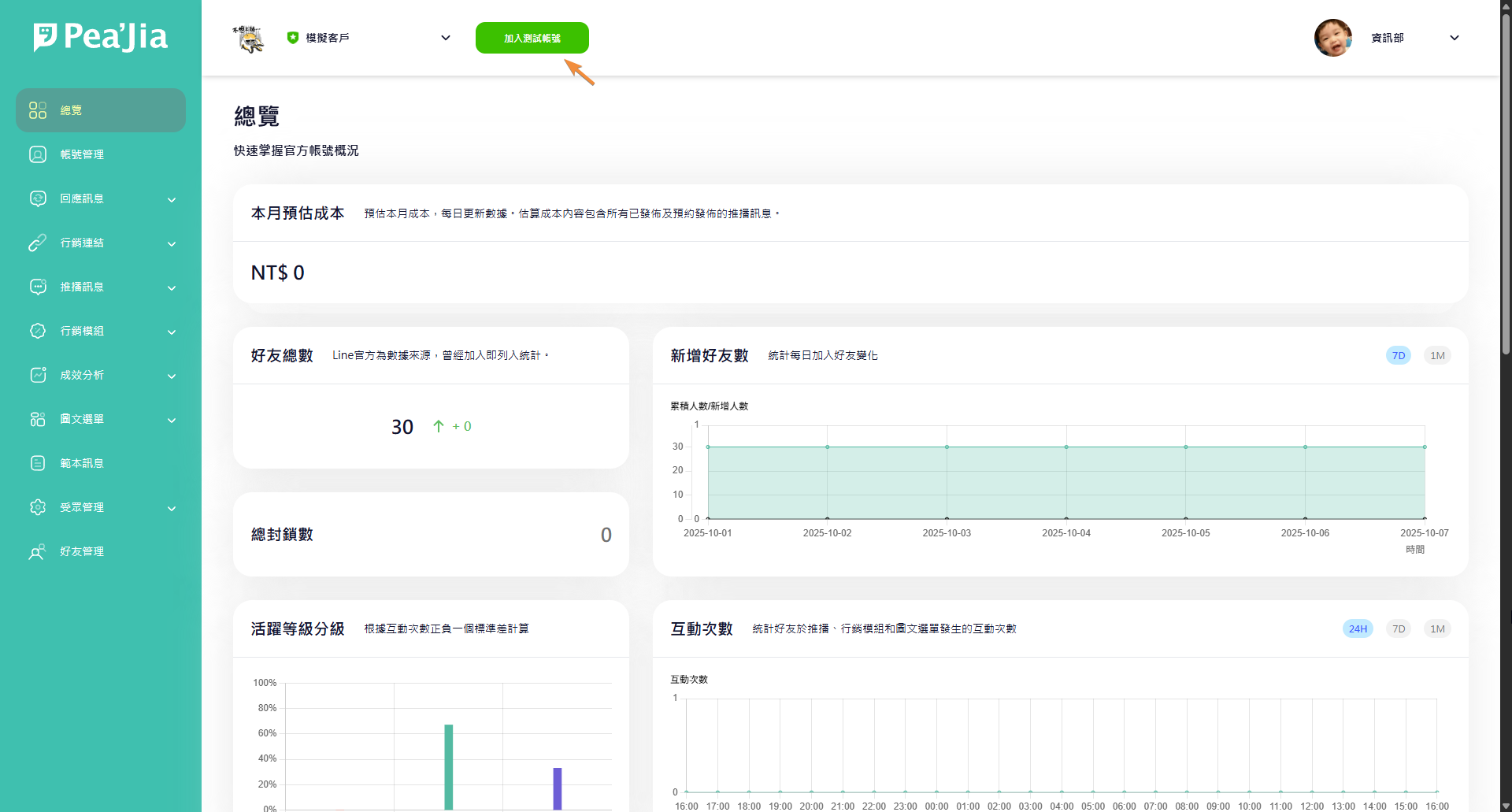
回到總覽頁面後，如果授權提示消失，就代表綁定完成。

<div data-with-frame="true"><figure><img src="/files/KFjwNoSciNLWSfLN0kf4" alt=""><figcaption></figcaption></figure></div>

***

## 加入測試帳號（加好友）

你可以在後台上方找到「加入測試帳號」按鈕。

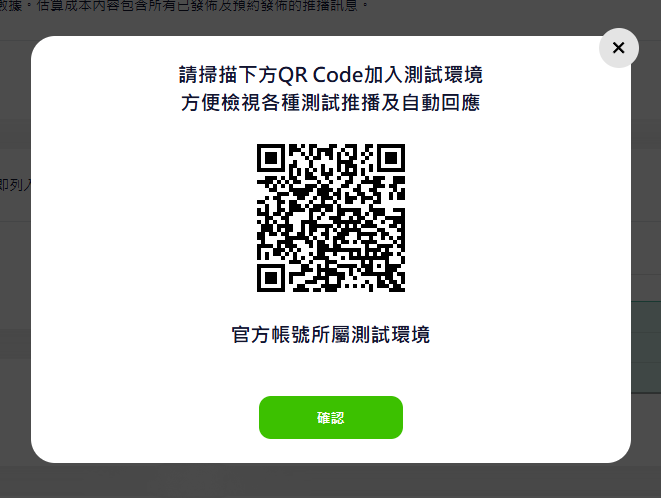
點擊後會顯示 QR code。用手機掃描後加入好友即可。

<div data-with-frame="true"><figure><img src="/files/EP2ITjlVf3HcHOWlNHZP" alt=""><figcaption></figcaption></figure></div>

<div data-with-frame="true"><figure><img src="/files/YfmGAl6DQjZuAHNBisHc" alt="" width="496"><figcaption></figcaption></figure></div>

***

## 哪些功能可以用測試帳號？

你可以把測試分成兩種：

### 主動發送類型

* 推播管理
* 預設圖文選單
* 分眾圖文選單
* 範本管理

### 觸發型測試

* 自動回應
* 歡迎好友的加入訊息

你也可以把短網址或行銷活動連結放進推播或選單。整體上，絕大多數流程都能先用測試帳號驗收。

***

## 延伸操作

* 實際發送預覽與選擇接收者：前往 [教我使用測試發送](/home/help-center/start/test-send.md)。
* 設定關鍵字觸發回覆：前往 [自動回應](/home/help-center/basic/auto-reply.md)。
* 新好友加入時自動發送：前往 [歡迎好友的加入訊息](/home/help-center/basic/welcome-message.md)。

---

# Agent Instructions
This documentation is published with GitBook. GitBook is the documentation platform designed so that both humans and AI agents can read, navigate, and reason over technical content effectively. Learn more at gitbook.com.

## Querying This Documentation
If you need additional information that is not directly available in this page, you can query the documentation dynamically by asking a question.

Perform an HTTP GET request on the current page URL with the `ask` query parameter:

```
GET https://docs.peajia.com.tw/home/help-center/start/test-oa.md?ask=<question>
```

The question should be specific, self-contained, and written in natural language.
The response will contain a direct answer to the question and relevant excerpts and sources from the documentation.

Use this mechanism when the answer is not explicitly present in the current page, you need clarification or additional context, or you want to retrieve related documentation sections.